
Create your account
and join your organization
Create your Guild Gold account with the email address your organizer invited. Verify your address, then accept the invitation waiting for you inside the app.
3 steps About 3 minutes
Use the exact email address your organizer invited. A different work address, personal address, or email alias will not match the invitation.
Create your account
Go to app.guildgold.beer. On the sign-in screen, select Create an account. You do not need an invitation link to get started: your invitation will be waiting inside the app once your account is ready.
- Enter your name in Your name.
- Enter the exact address your organizer invited in Email.
- Choose a password of at least 6 characters in Password.
- Select Create account. Guild Gold sends you an email to verify your address.
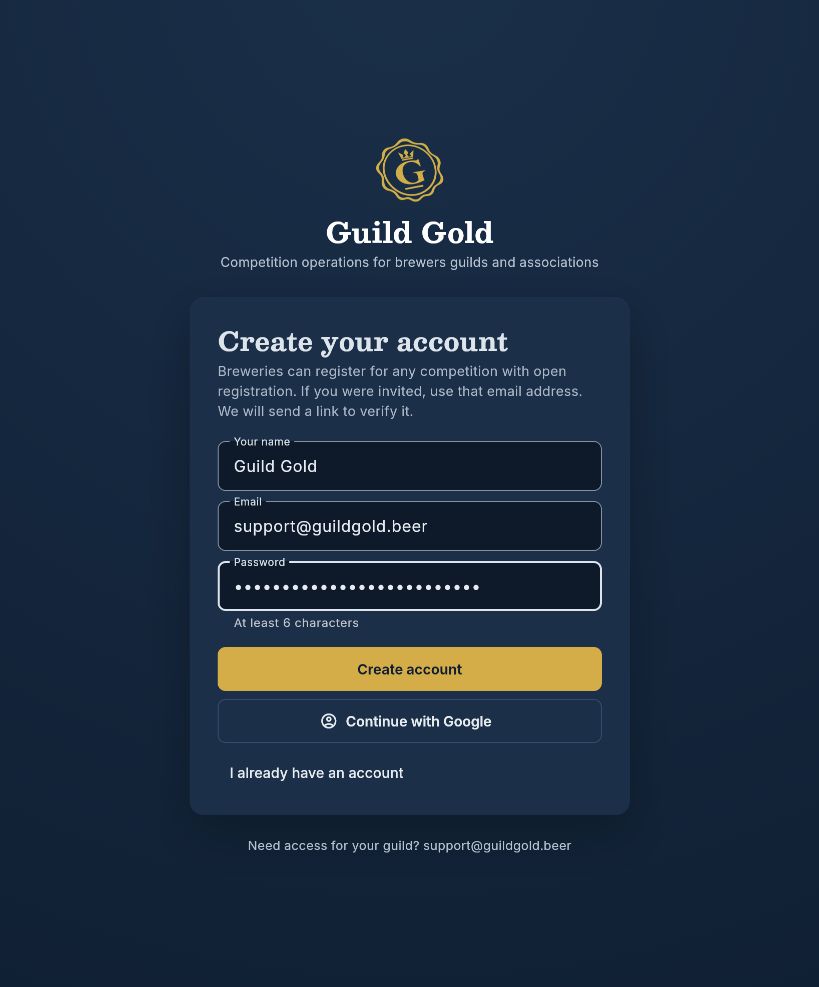
These screenshots use support@guildgold.beer as the example account. Use your own invited email address when creating your account.
Prefer to use Google?
Select Continue with Google and choose the account whose email matches your invitation. Google normally verifies your address during sign-in, so you may go straight to step 3.
Already have an account?
Select I already have an account and sign in with your email and password, or use Continue with Google with the same invited address.
Verify your email address
If you see Verify your email, open the inbox for the address shown on that screen.
- Open the email titled Verify your email for Guild Gold from support@guildgold.beer.
- Select the gold Verify your email button in the message.
- The Guild Gold page confirms Email verified. Select Continue to Guild Gold to see your invitations. If you are not signed in in that browser, select Sign in first.
If you return to the original signup tab instead, select I have verified my email to continue.
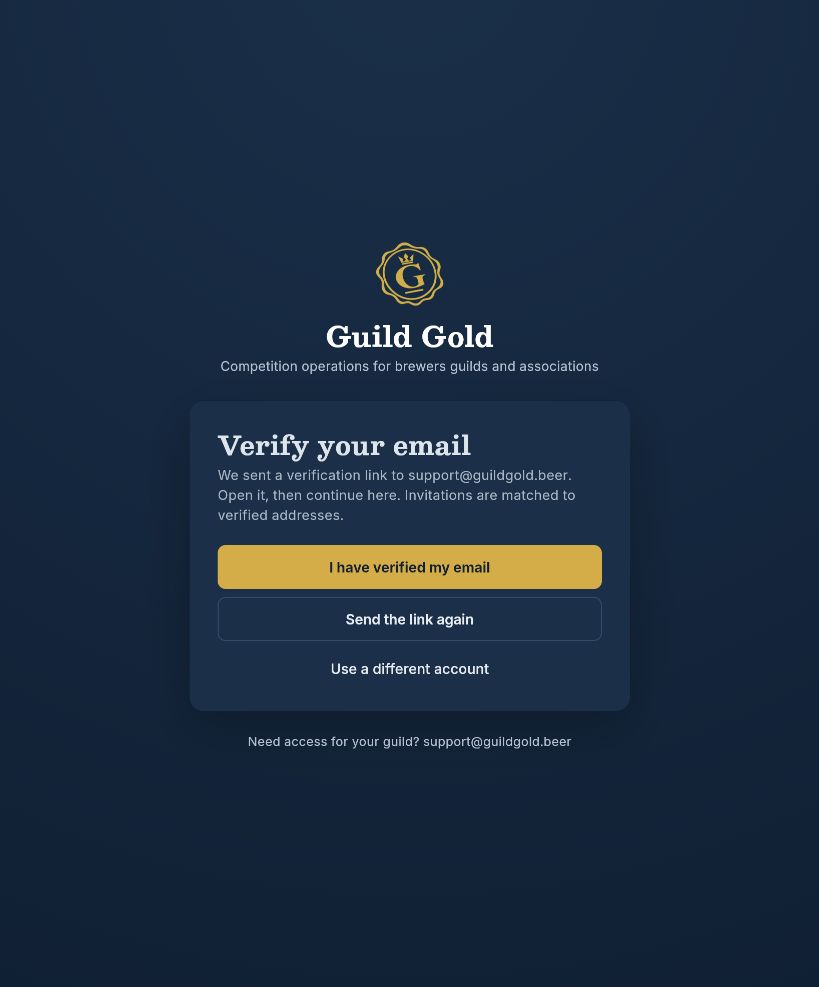
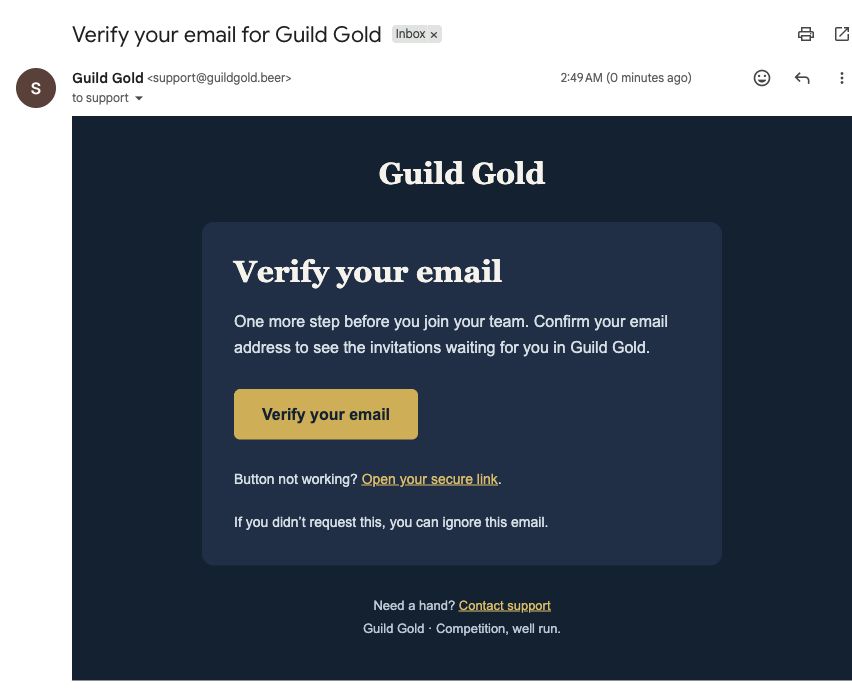
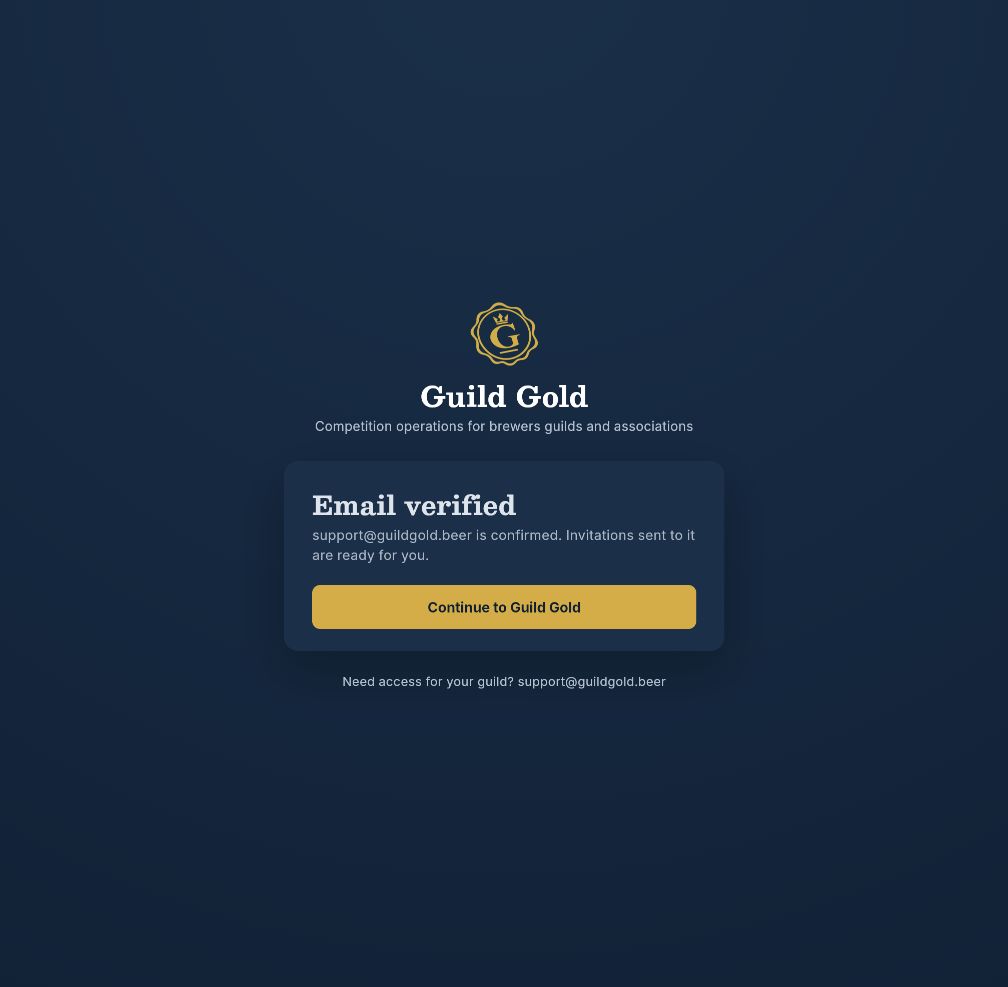
Signed in with Google? Your email is usually already verified. If Guild Gold takes you straight to the start screen, continue to step 3.
Accept your invitation
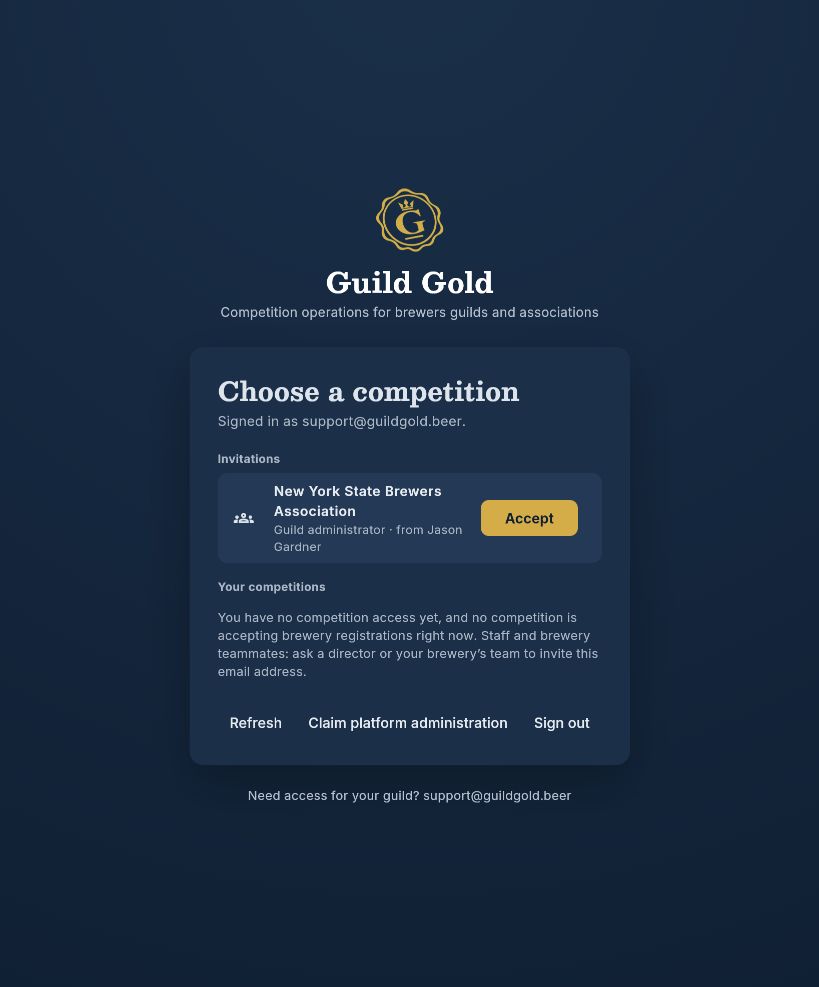
On the start screen, titled Choose a competition, check the Signed in as email near the top.
Your invitation is waiting here under Invitations. Check the organization or competition name, then click Accept beside the invitation you want to join.
After acceptance, the invitation is replaced by your organization or competition access. Select the competition you want to work in. What you can see and do depends on the role your organizer assigned.
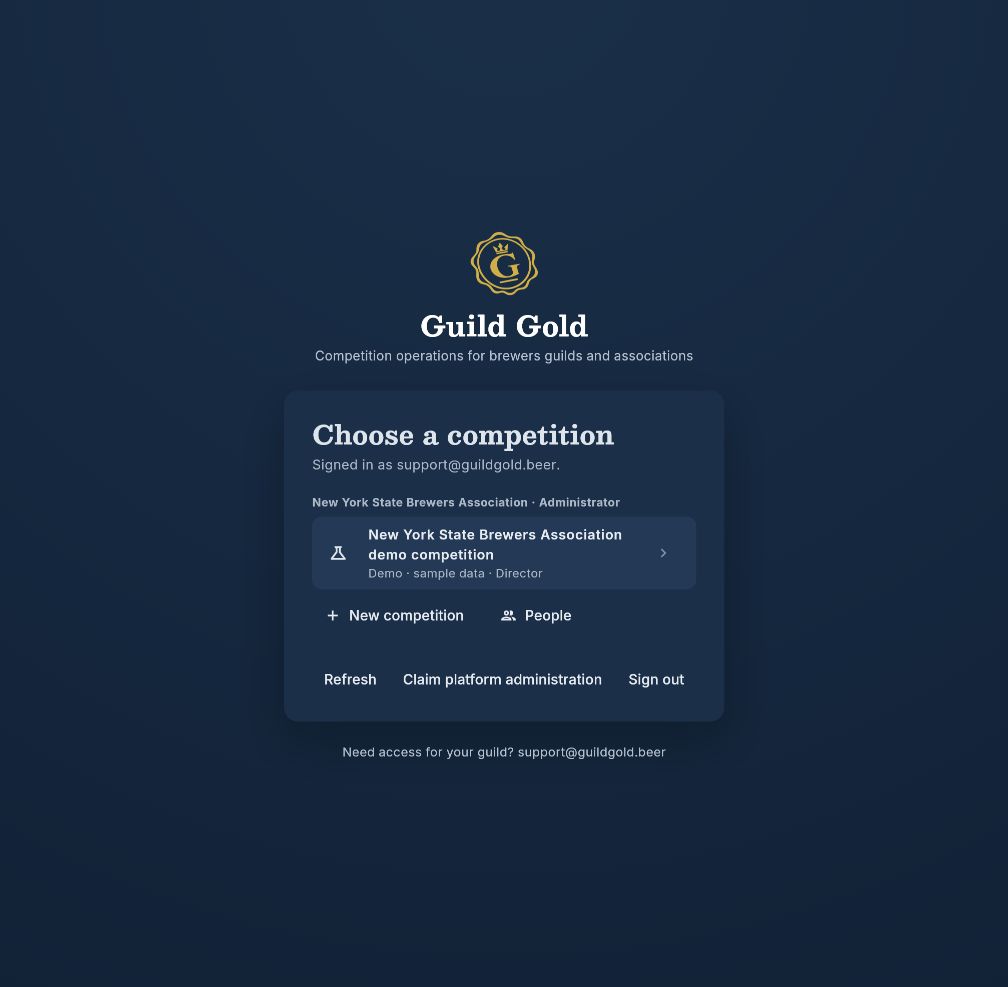
Select your competition to open its dashboard. What you see there depends on your assigned role.
Need a hand?
I don’t see an invitation
Check the Signed in as address. It must match the address your organizer invited. Make sure the address is verified, then select Refresh on the start screen. If the invitation still does not appear, ask your organizer to confirm the email and resend the invitation. An invitation you have already accepted will appear as organization or competition access instead.
The verification email hasn’t arrived
Check spam or junk mail and confirm the address on Verify your email. Select Send the link again, then open the newest message. Select Verify your email in the message, then Continue to Guild Gold on the confirmation page.
I used the wrong email address
On the verification screen, select Use a different account. If you have already reached the start screen, sign out. Sign in again using the exact email address your organizer invited.
I forgot my password
On the sign-in screen, enter your email address, then select Forgot password. Follow the password-reset email to choose a new password. If you normally use Google, select Continue with Google with the same account.
I accepted, but don’t see the access I expected
Select Refresh and check your organization or competition again. Ask your organizer to confirm your membership and role if the expected access is still missing.
You’re ready to join your team.
Have your invited email address handy, then open Guild Gold to get started.
Open Guild Gold